Prerequisites
- You have connected all your integrations.
Search with Antimetal
You can ask Antimetal broad questions related to your infrastructure and architecture. Antimetal will leverage the rich understanding it has about your system to give you an answer.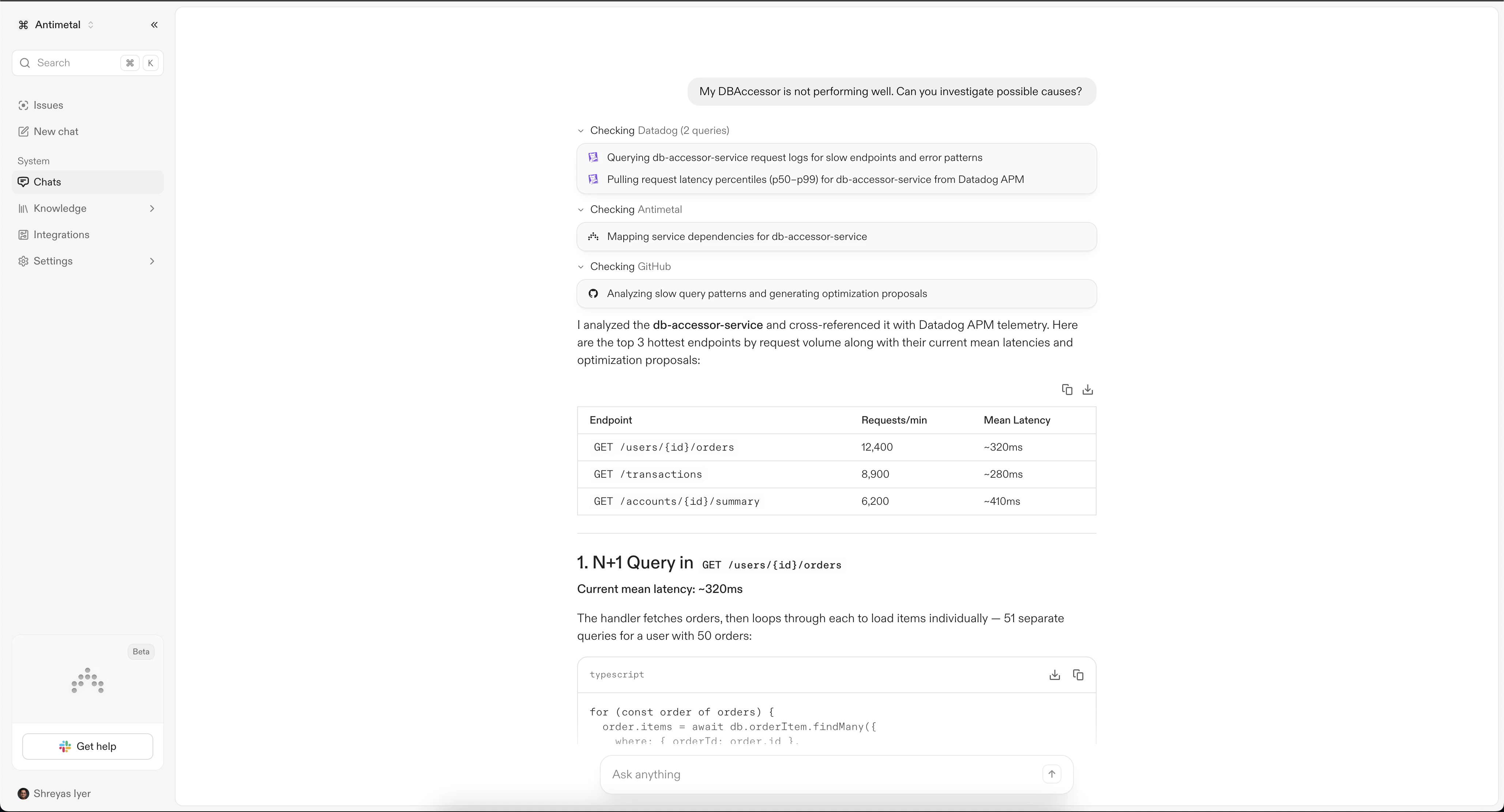
Investigate an Issue
In order for a new issue to show up on the issues page, kick off an investigation against an alert in Slack.Live View
As the investigation is on-going, you will be presented with Antimetal’s live chain of thought, giving you clear insight into its reasoning.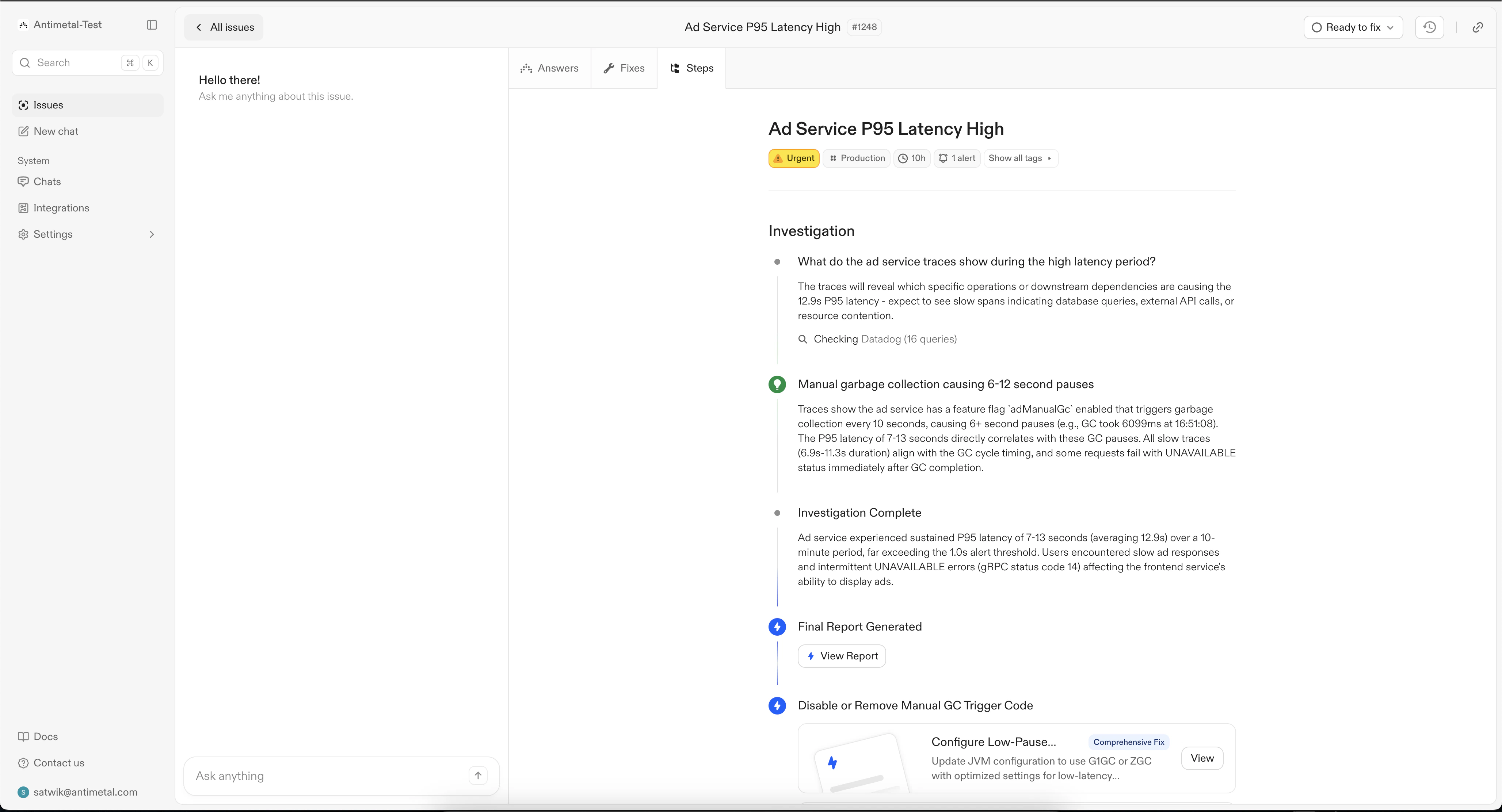
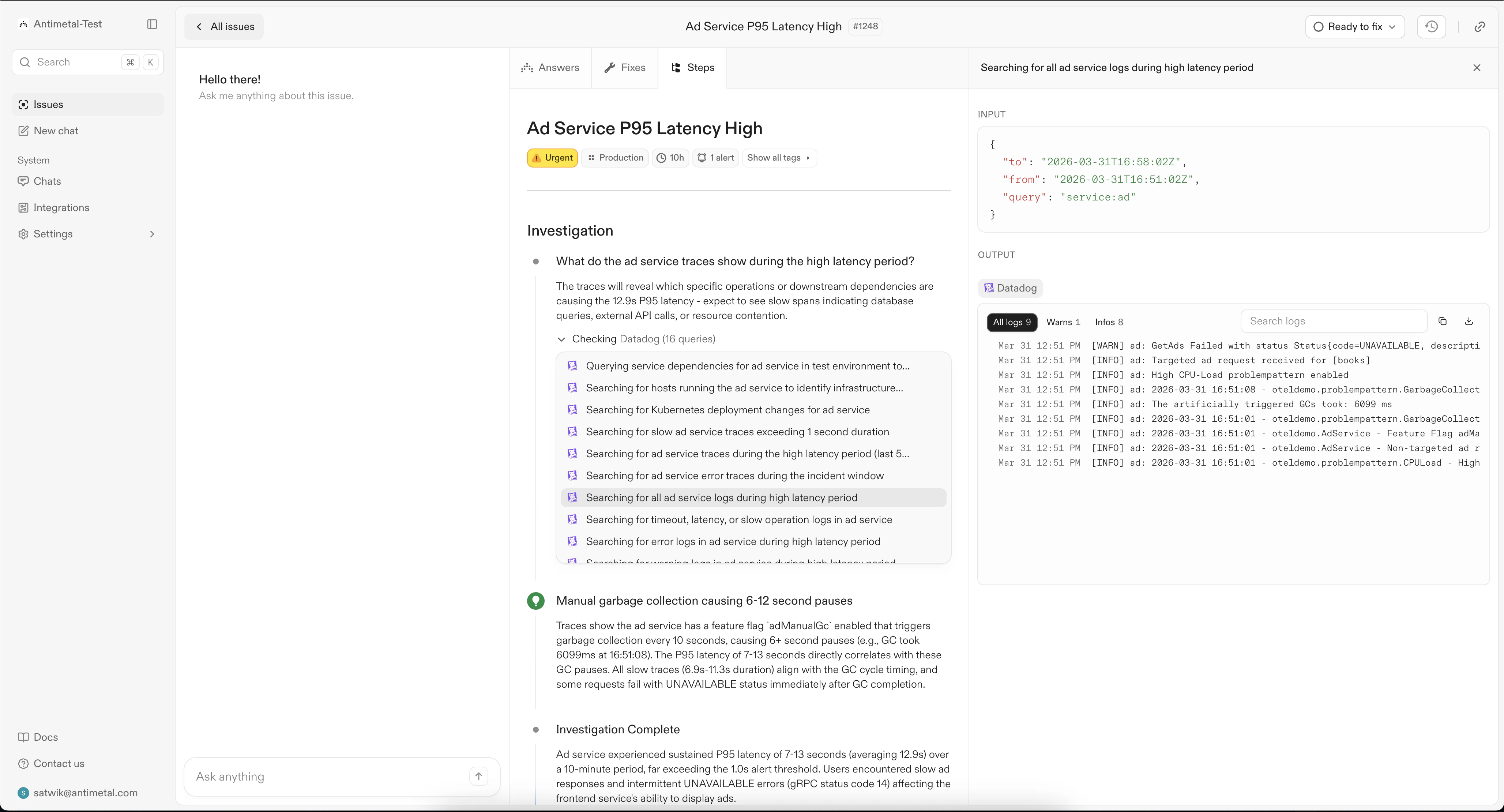
Answers
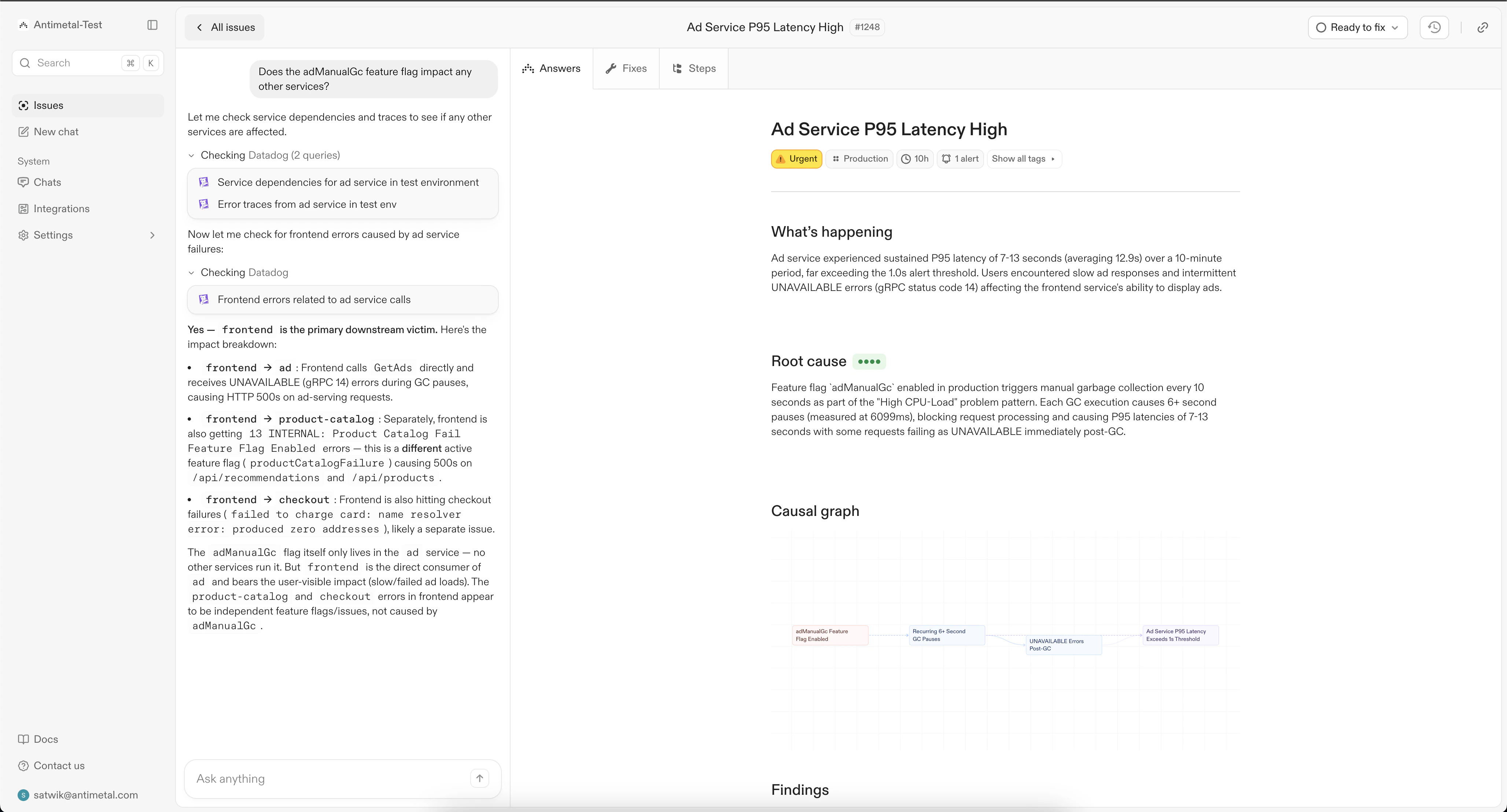
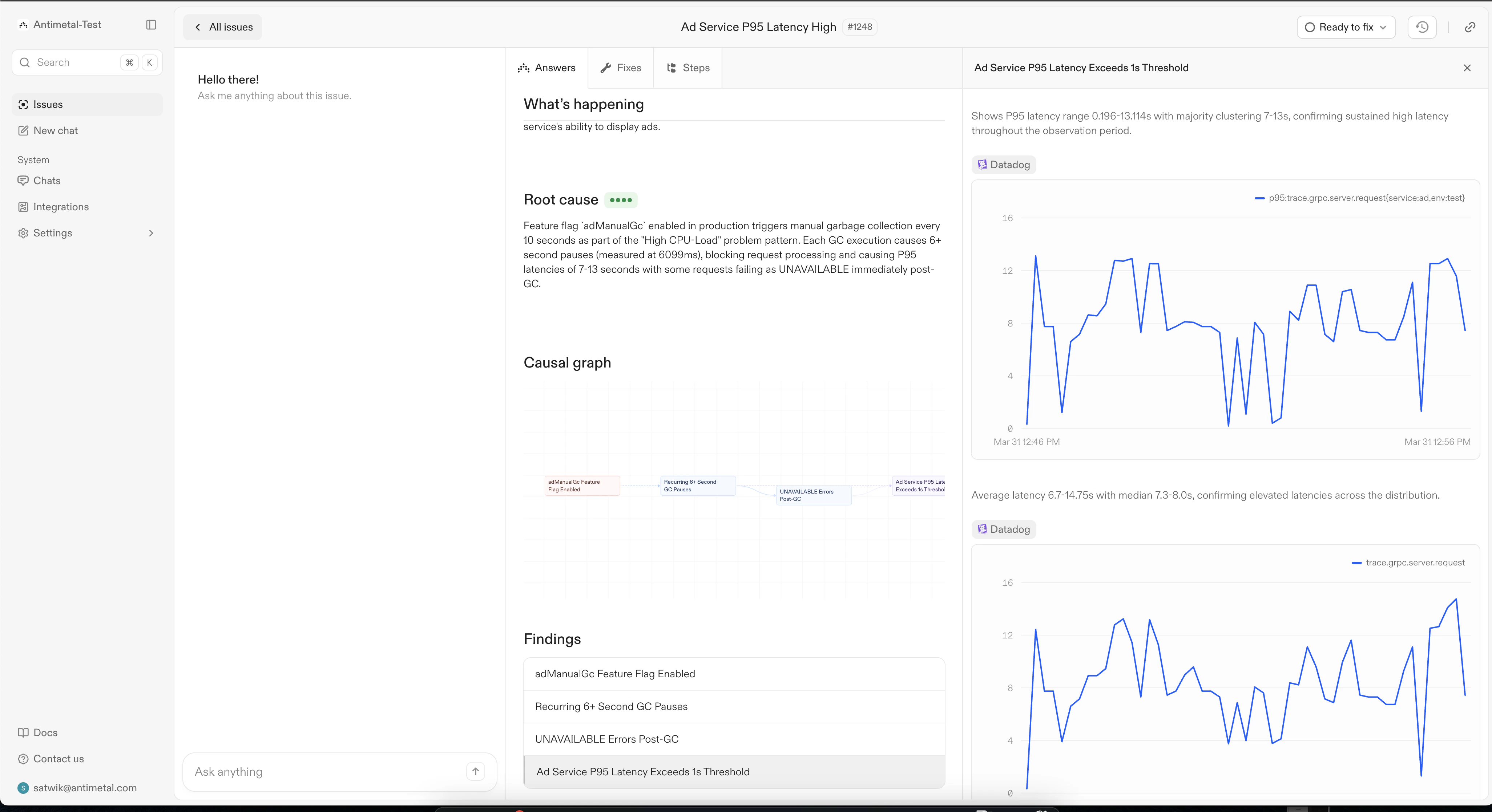
Once the investigation is complete, you will be directed to the Answers tab, where you will be given clear insight into what happened, the root cause (with an Antimetal confidence score) and a Causal Graph, to highlight the reasoning pathway that Antimetal took to arrive at its conclusion.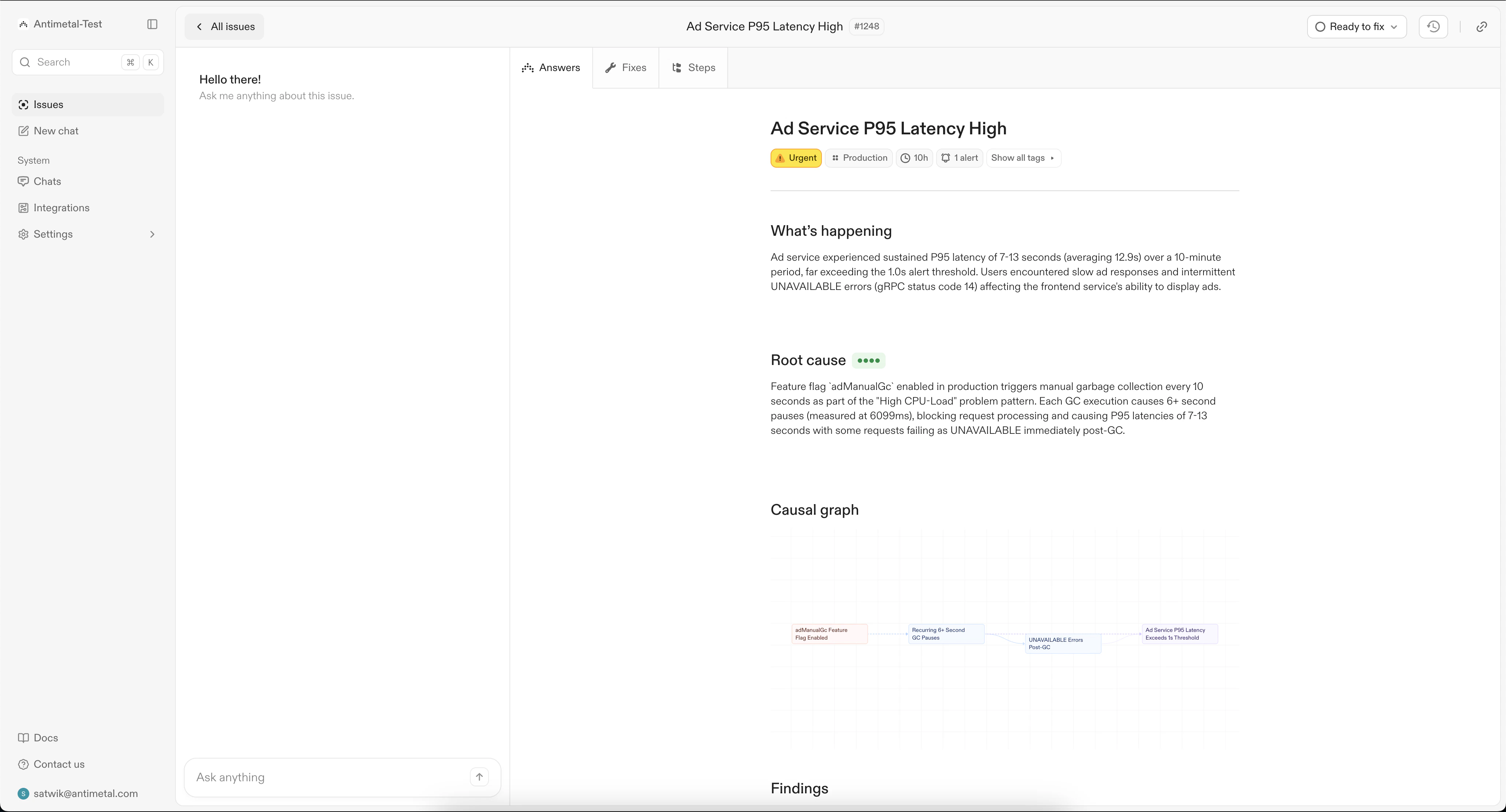
Fixes
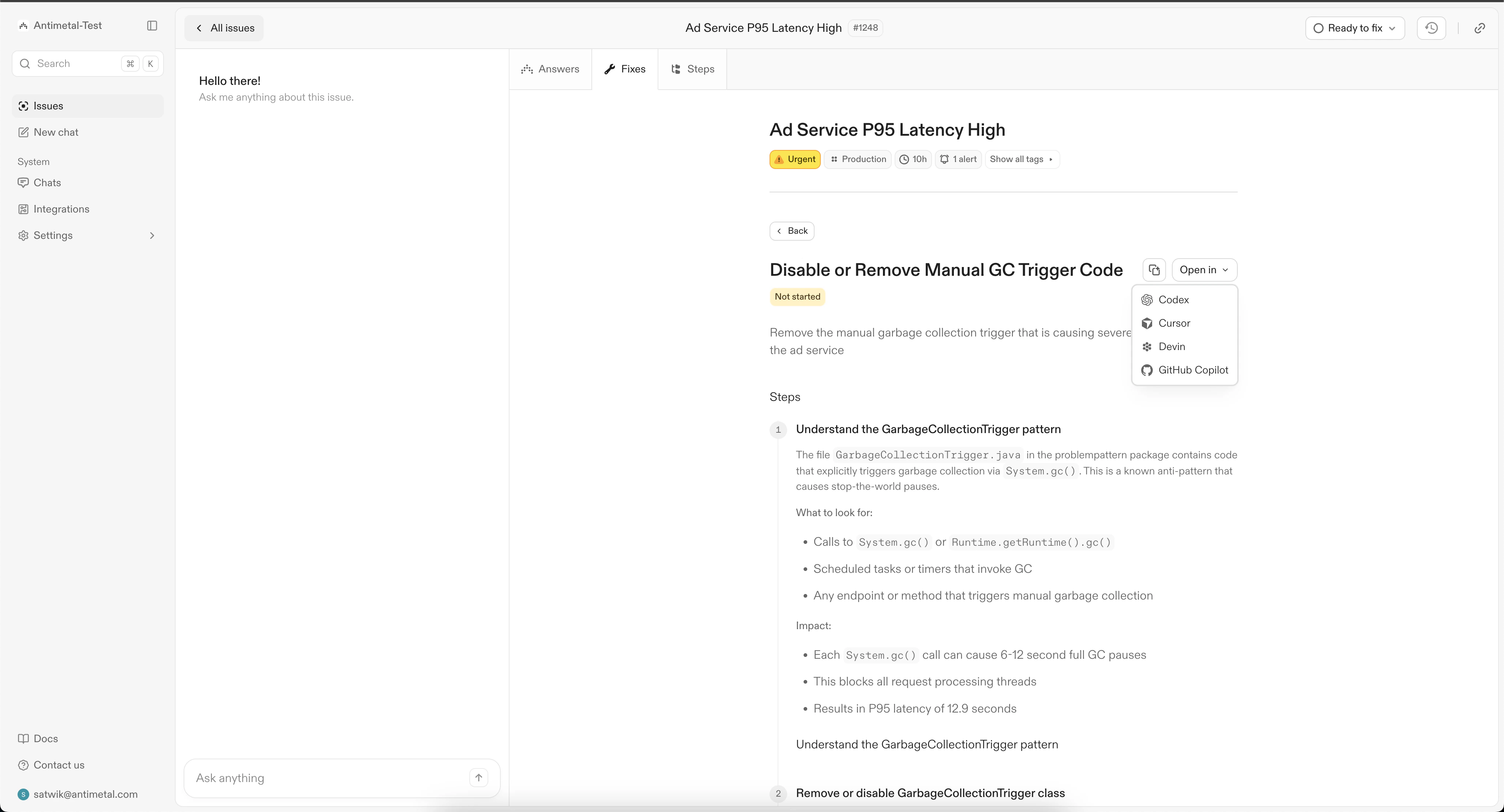
The fixes tab contains remediations proposed by Antimetal to address the root cause.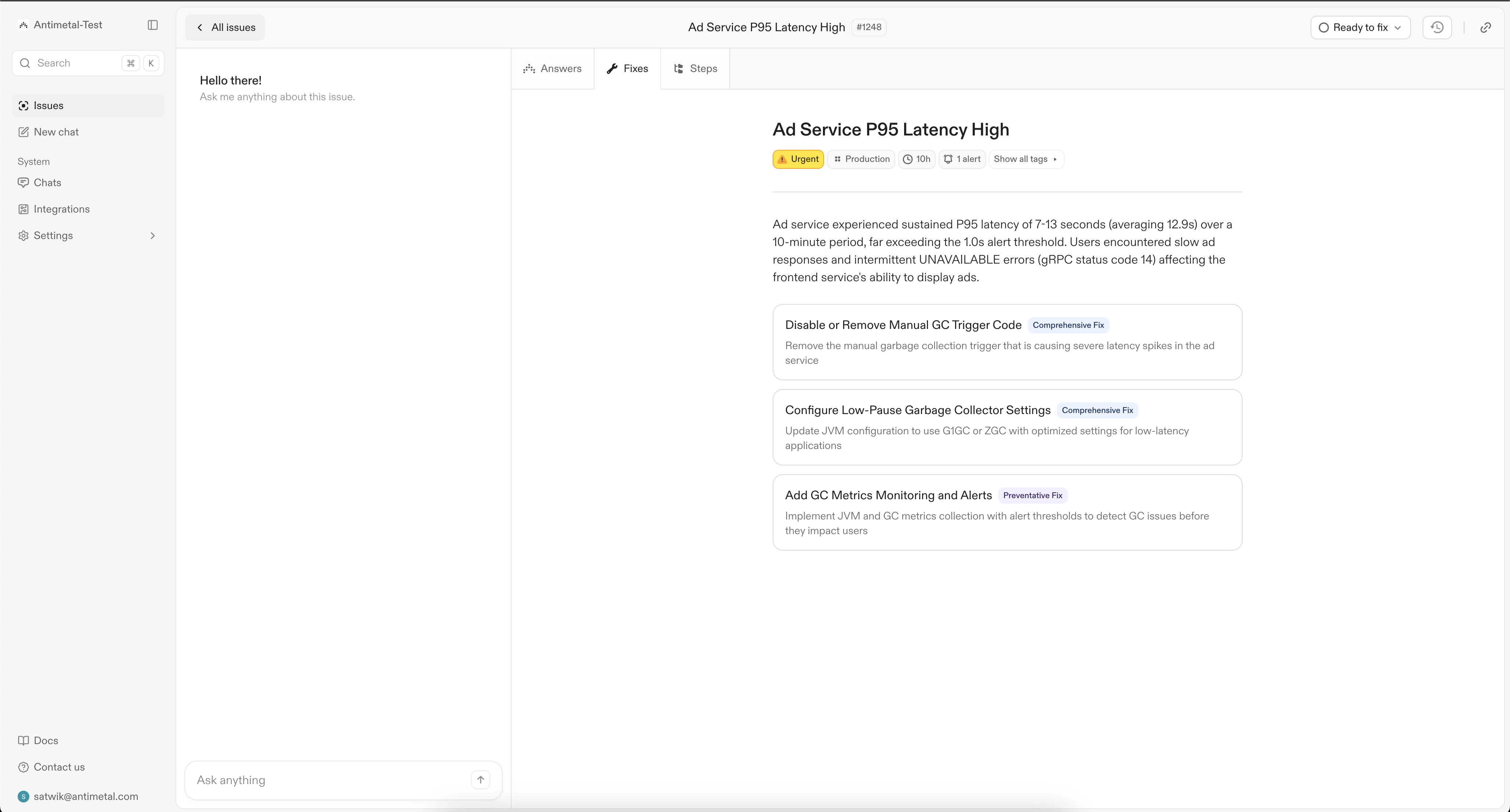
Chat
If you want to ask a question about the report, or add more context, you can do so through the chat experience. You can also choose add more context for Antimetal to use to regenerate the investigation.